Account &
data deletion.
Request deletion in Chillz. You have 30 days to change your mind before deletion starts.
Start in the app
- Open your profile, then Settings & activity.
- Choose Account & data deletion and read the consequences.
- Use your verified email for the code. If your account only has a verified phone, choose the optional SMS path described below or continue with email support.
- Enter the code and confirm your request. Requesting a code alone does not start deletion.
- Keep the request reference and the exact date shown in the app.
This flow requires a Chillz build with account deletion enabled. If it is unavailable in your build, or you cannot sign in, contact support below. Never send a password, sign-in code or identity document by email.
SMS is your choice
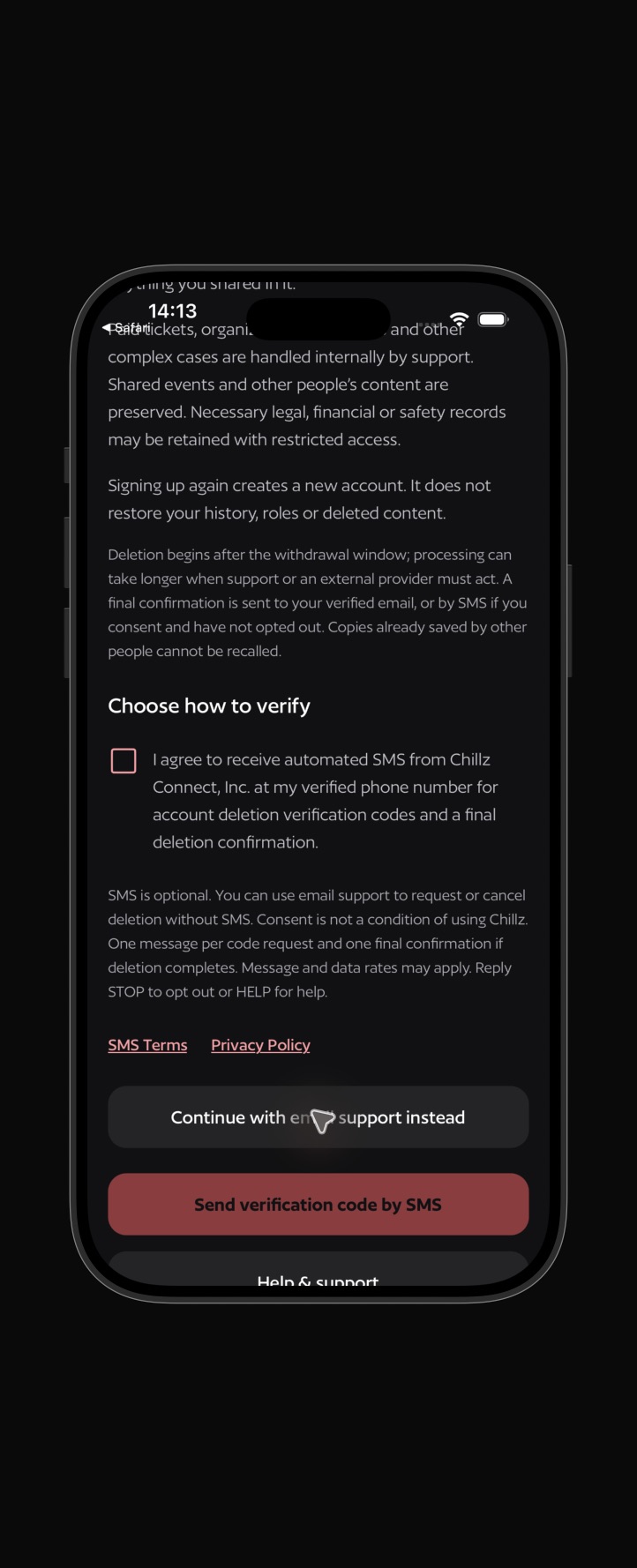
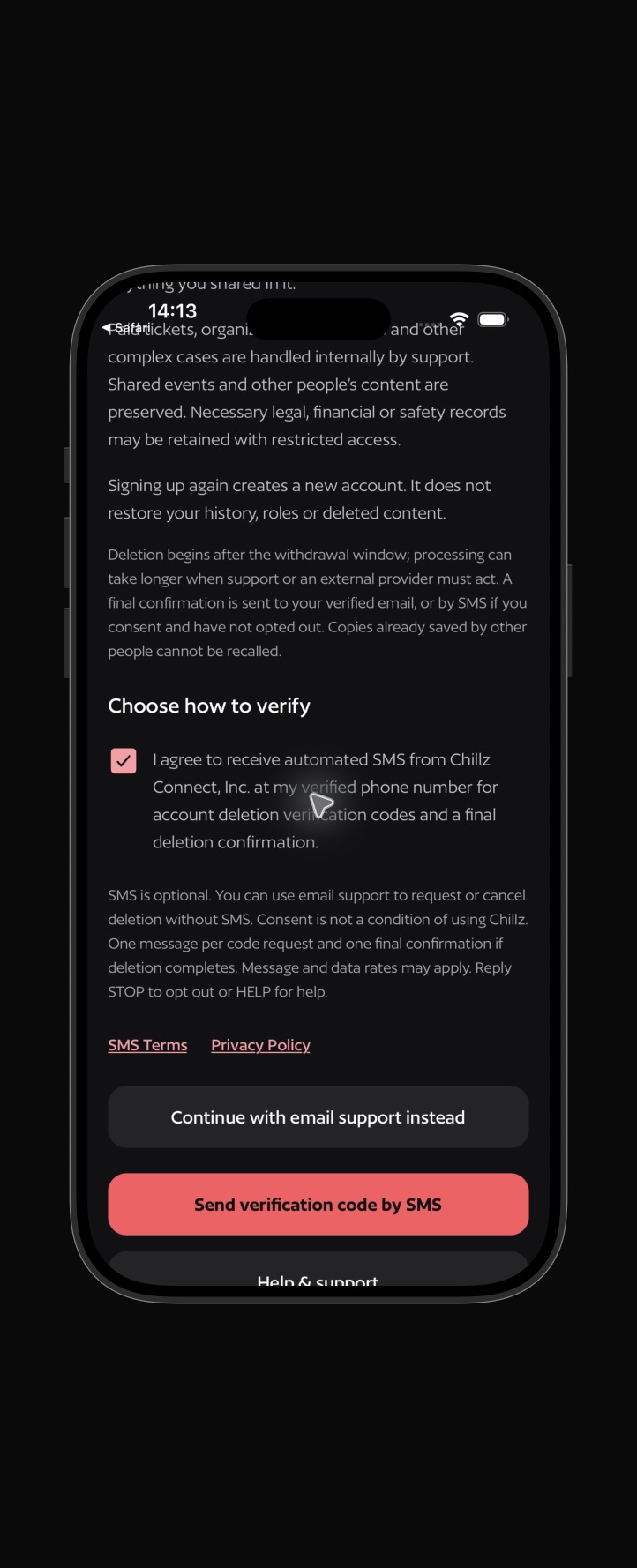
The account deletion screen offers an unchecked SMS consent box for accounts with a verified phone and no verified email. The same choice applies when requesting a code to cancel deletion. No SMS is sent just by opening this screen.
“I agree to receive automated SMS from Chillz Connect, Inc. at my verified phone number for account deletion verification codes and a final deletion confirmation.”
SMS is optional. You can use email support to request or cancel deletion without SMS. Consent is not a condition of using Chillz. One message per code request and one final confirmation if deletion completes. Message and data rates may apply. Reply STOP to opt out or HELP for help.
Select the consent box, then choose “Send verification code by SMS”. The button stays disabled until you select the box. To proceed without SMS, choose “Continue with email support instead”, or email support@chillz-app.com. We verify account ownership before acting.
This page explains the in-app flow; it does not collect consent or send a code. The optional SMS path is available only in builds where account deletion and SMS delivery are enabled.
See the consent screen
Captured from the Chillz iOS development build on November 1, 2026, using the actual account deletion screen and synthetic account data. This preview demonstrates the upcoming flow; it does not send SMS or delete an account. General availability is pending messaging approval and release.
During the 30 days
Your profile is hidden and regular account use is paused. Your free event registrations remain in place. Sign in to view the request and request a cancellation code by email or optional SMS, or continue with email support. Verify that cancellation before the date shown. Signing in alone does not cancel deletion.
After the withdrawal window
Your account, personal profile, posts, stories and personal media are removed. Free event registrations are canceled and their places released after the 30 days. Signing up again creates a new account; it does not restore the old account, its history or its roles.
Private conversations and the messages already sent by either participant remain available to the other participants. Your name becomes “Deleted account”, your profile is unavailable and they cannot send new messages to it. The text of existing messages is kept, including information you wrote in them. Copies saved or shared by other people cannot be recalled.
Shared events, organizations and other people’s content are preserved. Paid tickets, financial activity, organizer responsibilities and safety cases require internal review by Chillz support. You can submit the request in the app without resolving these cases first. Support handles the follow-up; deletion does not automatically cancel paid tickets, refund a purchase or delete an event.
Timing and retained records
Deletion begins after the 30-day withdrawal window. It may take longer where internal review or confirmation from an external provider is necessary. Once processing is complete, a final confirmation is sent to your verified email, or by SMS if you consent and have not opted out.
Some records may need to be kept for legal, financial or safety purposes with restricted access. Their retention depends on the record and the applicable obligation. Backups and external systems have their own deletion cycles. Contact Chillz for the retention and deletion details that apply to your specific request.
Need help or can’t access the app?
Email our team with the subject “Account deletion” and your request reference if you have one. We will verify account ownership before acting.
support@chillz-app.com